
Coding Agents For Dummies or What I've Learned Building Forecasters With AI - No 1.
2026-04-24
I will declare it, I've learned a lot building forecasters with coding agents. I've learned so much I think it's time I started sharing some of what I learned, that I wish I knew as a complete beginner, in case anyone else just beginning to use AI to build can benefit.
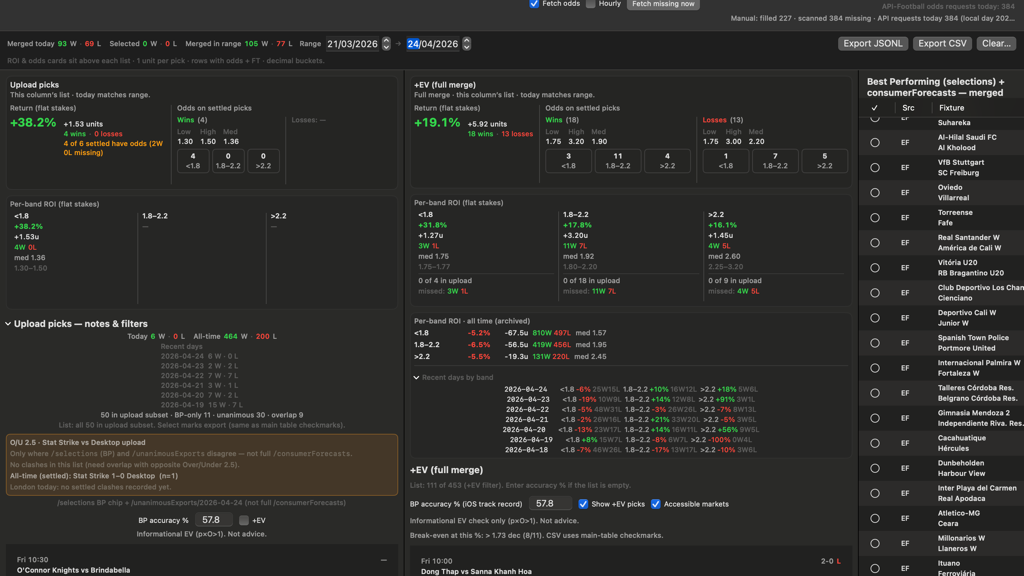
The header image for this post is the UI of an app I built to research odds offered for football matches (where available pre-KO) and what the win rates were - I'm researching if there are slices in the market, patterns, that can indicate a predictive quality in odds.
Where is the market more often right and where is it more often wrong? So I can incorporate those findings into my forecasting models - the better to offer value when offering the forecasts, ie, the 1.6-1.8 range is right frequently enough to target those forecasts for extra weighting in the forecasting. I don't know if that is true yet. I'm finding out.
And this image leads me to offer tip No. 1 for using coding agents to build apps. Any apps.
Draw them a picture of the UI.
That's it. It will save you so much time. So many tokens. Prevent so much frustration. The header image shows why - I didn't draw a picture. I described how I wanted the UI to look.
I describe in detail. Painstakingly. I took a lot of time to research terminology first. I was so confident this time the agent would get it first time (or close to, maybe second time...) and I wouldn't be sitting there pulling my hair out trying to decide if:
a) AI had reached sentience already, was keeping it quiet, and just ripping the piss out of us.
or
b) I was an idiot.
maybe
c) all of the above ;p
But seriously. Just draw a picture. Below is why.
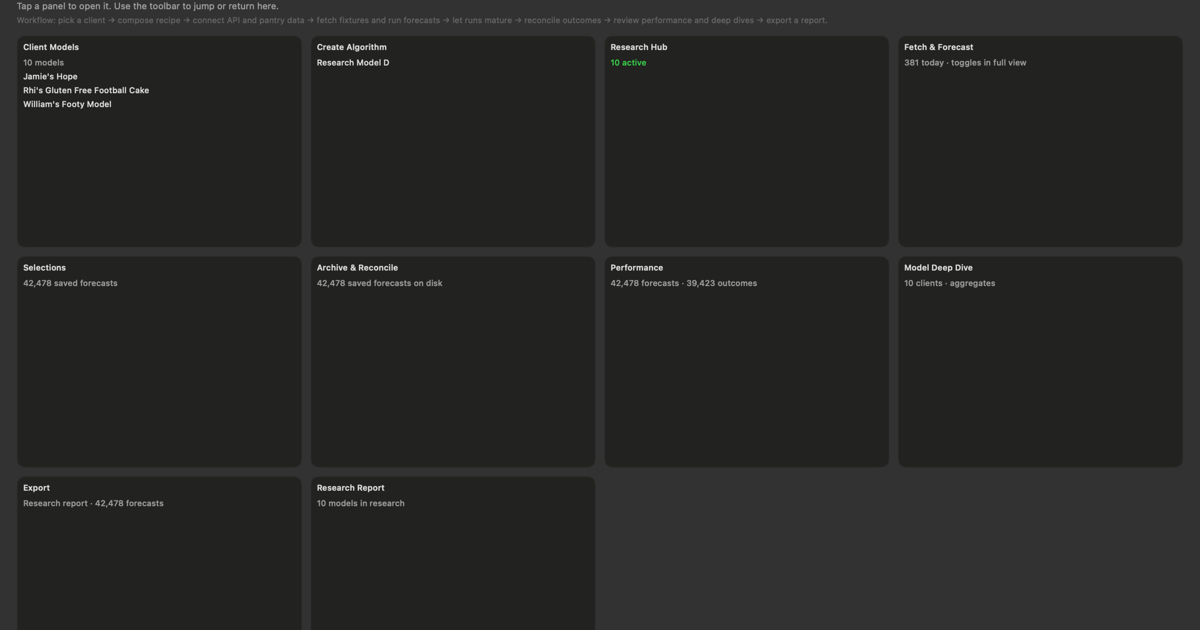
Isn't it lovely? It isn't sensible. Isn't it so much better than the header image?
It's exactly what I wanted. With room to add two more cells in the grid. It's the console from ProphIT - which is in development stage at the moment - and it looks so nice because I did the following :
- Rapidly sketched out with a pen on a white piece of paper how I wanted the UI to look.
- Stained it with my coffee mug - a nice circle in the middle (oops!).
- Took a photo with my iPhone and airdropped it to my mac.
- Dragged that photo into the prompt/chat box with the agent and said, "This is how I want the UI to look upon opening the app - I will explain what each cell will do - let's first make the UI so I can decide if I'm happy with it."
And the coding agent built it right first time. The first iteration only had six cells. I've added more easily without feeling like I want to scream at the computer when simple instructions like "I want to add another cell to the grid now please...etc" resulted in me staring at a Picasso. Previously.
So draw your coding agent a picture of how you want the UI to look. A picture paints a thousand words, and saves a lot more in tokens...